VEHICLECHASE CAMERA
Chase camera
What it does
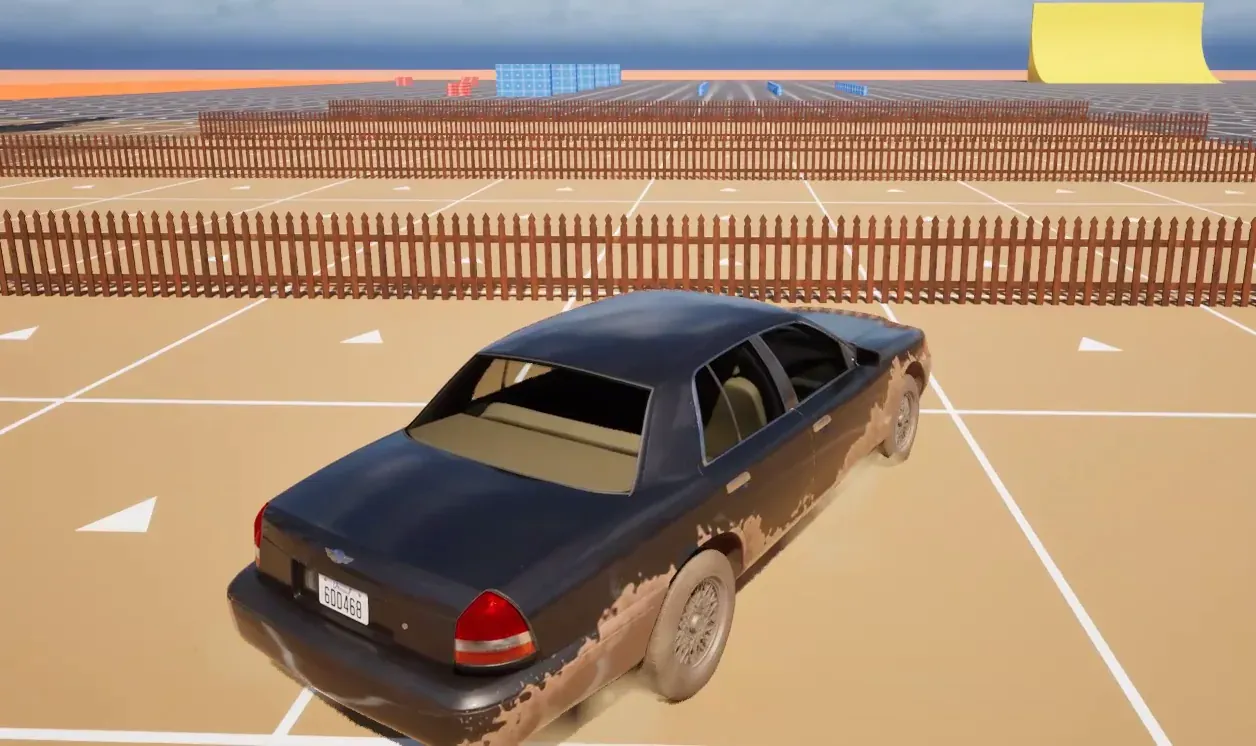
Section titled “What it does”The chase camera is a third-person camera for a vehicle pawn. You orbit it with look input, and when you stop looking it eases back behind the car once the car moves. It turns the view of one spring arm on the pawn. It is independent of the rest of Crushform: it needs nothing from the plugin’s core, and nothing in the core needs it. The plugin’s sample pawn uses it.
How it works
Section titled “How it works”Spring arm. The camera drives the world rotation of one spring arm of its owner, which you pick by name. It switches that arm to absolute rotation, so the car turning does not drag the camera with it.
Look. Two Axis 1D input actions feed the camera: one for yaw, and one for pitch, where a positive value looks up. The camera binds them on the pawn’s Enhanced Input component when the pawn is locally controlled. The value of a look action is degrees. A mouse counts through its sensitivity, and a stick scales with the frame time.
Look threshold. Look input counts as a look only when it adds up to Look Threshold (2 degrees) within about a quarter of a second. Smaller jitter, such as a mouse sensor’s noise or a stick resting just past its dead zone, turns the view a little and leaves the follow on. A look holds the camera and restarts the wait.
Follow. After Follow Delay (1.5 seconds) without a look, the camera eases back behind the car. It follows the direction of travel while the car moves forward or sideways at Min Follow Speed (200 cm/s) or faster. Below that speed, and while the car reverses, it follows the car’s facing instead, so a car nearly at rest does not swing the camera. The pitch eases to Default Pitch.
Start speed. Below Follow Start Speed (50 cm/s) the camera does not ease back at all. It stays where it is, so you can look around a standing car. The follow delay keeps counting down below that speed, so once it is over, the camera starts to follow the moment the car reaches that speed. Set it to 0 to bring the camera behind a standing car too.
Follow rate. The camera closes a share of the remaining angle each frame. That share rises with the car’s speed, from Min Follow Rate at Min Follow Speed to Max Follow Rate at Full Follow Speed (2500 cm/s), and stays there above it.
Snap. SnapBehind puts the camera behind the car at once, at the default pitch. The camera calls it when play begins, when the pawn is restarted, and when you call it yourself after a teleport.
Dedicated server. The camera does not tick on a dedicated server.
Set it up
Section titled “Set it up”- Make sure the pawn has a spring arm with a camera at its end. A spring arm is in the Components panel, and the camera is its child.
- Open the pawn’s Blueprint. In the Components panel, click Add and choose CFVehicle Chase Camera. It is in the Crushform group. Compile and save.
- Select the chase camera. Set Spring Arm to the pawn’s spring arm.
- Set Yaw Action and Pitch Action to two Axis 1D input actions, one for each look direction. The plugin ships the sample actions
IA_LookAroundandIA_LookUpin its Input folder.
| Camera | ||
|---|---|---|
| Spring Arm | ||
| Tuning | ||
| Min Pitch | ||
| Max Pitch | ||
| Default Pitch | ||
| Follow Delay | 1.5 s | |
| Look Threshold | 2.0° | |
| Follow Start Speed | 50.0 cm/s | |
| Min Follow Speed | 200.0 cm/s | |
| Full Follow Speed | 1000.0 cm/s | |
| Min Follow Rate | 1.0 | |
| Max Follow Rate | 4.0 | |
| Input | ||
| Yaw Action | IA_LookAround | |
| Pitch Action | IA_LookUp | |
- Adjust the Tuning values only if the default feel is wrong. The defaults are in Key settings below.
The camera needs the Enhanced Input plugin, because it binds its two actions on an Enhanced Input component.
Use it
Section titled “Use it”On a Blueprint, the usual tasks are to turn the view from a touch stick, and to put the camera behind the car after a respawn. Call AddLookInput with the yaw and pitch in degrees, and SnapBehind after a teleport.
The same calls in C++. Get the camera from the pawn, then call its functions. The signatures are the ones in the header. Your module must list the Crushform modules in its Build.cs, as in Installation.
#include "CFVehicleChaseCameraComponent.h"
void AMyPawn::OnTouchLook(const float YawDegrees, const float PitchDegrees){  if (UCFVehicleChaseCameraComponent* Camera = FindComponentByClass<UCFVehicleChaseCameraComponent>())  {    Camera->AddLookInput(YawDegrees, PitchDegrees);  }}
void AMyPawn::Respawn(const FVector& Location){  SetActorLocation(Location);  if (UCFVehicleChaseCameraComponent* Camera = FindComponentByClass<UCFVehicleChaseCameraComponent>())  {    Camera->SnapBehind();  }}
If you bind the look actions yourself, BindLookInput takes the pawn’s Enhanced Input component. It replaces the bindings the camera made before.
Key settings
Section titled “Key settings”These are on UCFVehicleChaseCameraComponent, except the tuning values, which are on FCFVehicleChaseCameraTuning in the Tuning property. Angles are in degrees, speeds in centimetres per second, and rates in 1/s.
| Property | What it does | Default |
|---|---|---|
UCFVehicleChaseCameraComponent::SpringArm | The spring arm the camera turns, picked by name. Without one the camera is off. | none |
UCFVehicleChaseCameraComponent::YawAction | The Axis 1D action that turns the view sideways, in degrees. Empty: no yaw. | empty |
UCFVehicleChaseCameraComponent::PitchAction | The Axis 1D action that tilts the view, in degrees. Positive looks up. Empty: no pitch. | empty |
UCFVehicleChaseCameraComponent::Tuning | The orbit and follow values, below. | see below |
FCFVehicleChaseCameraTuning::MinPitch | The lowest pitch: the camera at its highest, looking down at the car. | -60 deg |
FCFVehicleChaseCameraTuning::MaxPitch | The highest pitch: the camera at its lowest. Keep the camera above the ground at the arm’s length. | 10 deg |
FCFVehicleChaseCameraTuning::DefaultPitch | The pitch the camera eases back to while following, within the limits above. | 0 deg |
FCFVehicleChaseCameraTuning::FollowDelay | Seconds without a look before the camera follows the car. | 1.5 s |
FCFVehicleChaseCameraTuning::LookThreshold | The look input that counts as a look, within about a quarter of a second. | 2 deg |
FCFVehicleChaseCameraTuning::FollowStartSpeed | Below this planar speed the camera does not ease back, so the view of a standing car stays where it is. 0 follows a standing car too. | 50 cm/s |
FCFVehicleChaseCameraTuning::MinFollowSpeed | Below this planar speed the camera follows the car’s facing, not its travel. | 200 cm/s |
FCFVehicleChaseCameraTuning::FullFollowSpeed | At and above this planar speed the camera follows at the maximum rate. | 2500 cm/s |
FCFVehicleChaseCameraTuning::MinFollowRate | The follow rate at the minimum speed and below. | 1 /s |
FCFVehicleChaseCameraTuning::MaxFollowRate | The follow rate at the full speed. | 4 /s |
Check that it works
Section titled “Check that it works”- Press Play and drive the car forward. The camera follows behind it.
- Drag the mouse. The view turns at once. Let go and wait about 1.5 seconds. The camera eases back behind the car.
- Wait for the camera to settle behind the car, then reverse. It turns to the car’s nose, not to its travel.
- Stop the car. Drag the mouse to look to the side, let go and wait a few seconds. The camera stays where you turned it. Drive off, and it eases back behind the car.
The camera declares no stat group, so there is no console output for it. Check it by eye.
Troubleshooting
Section titled “Troubleshooting”The camera is off, and the log says the spring arm is not named
Section titled “The camera is off, and the log says the spring arm is not named”Cause: Spring Arm does not name a spring arm component on the pawn. The camera turns itself off.
Fix: Set Spring Arm to the pawn’s spring arm component.
Look input does nothing
Section titled “Look input does nothing”Cause: One of three things. Yaw Action or Pitch Action is empty, the pawn’s input component is not an Enhanced Input component, or the pawn is not locally controlled, so nothing is bound.
Fix: Set both actions, use Enhanced Input for the pawn, and check the pawn is controlled by a local player.
The camera does not return behind the car
Section titled “The camera does not return behind the car”Cause: Look input keeps coming. Input that adds up to Look Threshold within about a quarter of a second counts as a look, and each look restarts the wait. A stick that drifts past its dead zone can do this.
Fix: Add a dead zone to the stick mapping, or raise Look Threshold if the stick’s drift is larger than the default allows.
The camera does not return behind a slowly moving car
Section titled “The camera does not return behind a slowly moving car”Cause: The car is slower than Follow Start Speed. Below it the camera does not ease back.
Fix: Lower Follow Start Speed, or set it to 0 so that the camera eases back at any speed.
The camera turns behind a standing car
Section titled “The camera turns behind a standing car”Cause: Follow Start Speed is 0, or lower than the speed at which the standing car jitters.
Fix: Raise Follow Start Speed above that jitter.